Capybara Onsen Shutdowns
The official line is short: shutdown equals update. Rejoin, then deposit.
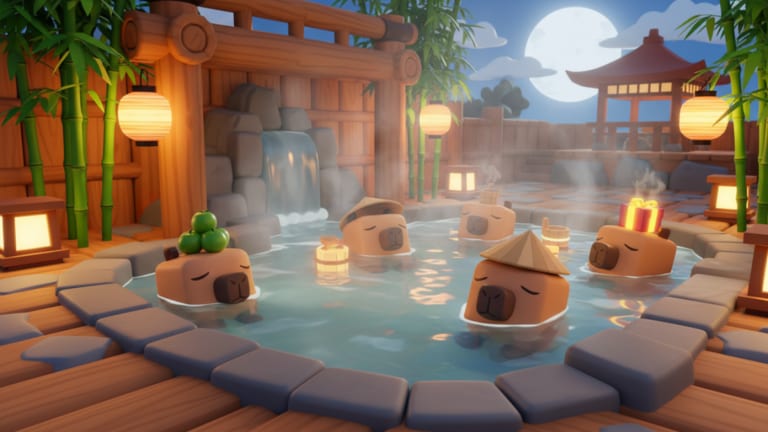
The first line on the Capybara Onsen Roblox page is not flavor text. It says shutdown means update. Players still treat a kick like a crash or a ban. This page is the rejoin manual for that sentence. The dated snapshot lives on latest notes. The parent map is the updates hub.
The universe was created on 15 July 2026. Roblox last wrote an update timestamp on 15 August 2026. Dojo Empire did not publish a named changelog, a Trello card, or a group shout with that stamp. The honest log is: the place is live, the place still patches, and the public how-to-play text is unchanged. Buy Capybaras. Collect Yuzu. Deposit for Money. Merge. Open Lucky Boxes. Expand the Onsen. Like and favorite for more updates.
What a shutdown is not
It is not a ban. It is not a wipe announcement. It is not a signal that Capybara Evolution codes will start working here. It is not a reason to buy a script. VIP servers are not allowed on this experience, so you also cannot hide on a private instance while the public servers recycle. You rejoin the same place ID: Capybara Onsen on Roblox.
Servers still hold up to six people. The Onsen loop stays personal. Other players reconnecting next to you do not pay your deposit.
Rejoin order that protects a wallet
- Open the official Roblox page, not a search clone with a similar thumbnail.
- Join. Wait for the HUD labels you already know.
- Walk from the shop to the deposit to the last Capybara you remember placing.
- Deposit every pile that survived. Money first, shop later.
- Open Lucky Boxes that are still on the floor.
- Finish a merge only if both units and the prompt look familiar.
- Reset the merge planner so a half-ticked plan does not lie.
- Skim latest notes before you assume a new portrait is a leak.
If a pad is empty, check the box floor before you repurchase. If a pad has a new face, treat it as a higher tier only after it drops Yuzu once. The Capybara list is where you write what the HUD actually shows.
Where official news actually lives
- The experience description after the kick ends.
- The Dojo Empire group. The group shout was empty when we checked on 15 August 2026. Check it anyway after a milestone.
- The in-game Codes or Shop field. Use where codes appear and how to redeem.
There is no public Trello board. There is no verified gameplay YouTube video for this place ID. We will not embed a zoo travel clip to fake a patch trailer. If Dojo Empire or a player uploads a real session of this Onsen, it will sit in the middle of one page, not five.
Rumors to ignore on kick day
Same-day posts mix this bath with orange-tower merge tycoons, Capybara Evolution Saturday patches, and Capybaras VS Plants eggs. Those strings and those eggs do not belong in this shop. The scripts hub stays empty until a listing matches this universe. The codes hub stays empty until a string redeems inside this client.
If a thumbnail looks new, compare it with the local gallery on this wiki. Official Roblox media for the place now includes extra bath shots stored as local files. A new image is not a new species list.
After the bath is quiet again
Return to how to get Money if the wallet feels frozen. Return to merge priority if you are tempted to dump the shop. Return to controls if a button moved. Like and favorite if the patch was worth the kick. That is the only “more updates” ask on the official page.
A shutdown is a pause with a purpose. Deposit the fruit you already earned, then read. Spending a pre-patch wallet on a post-patch row is how a good kick becomes a bad session.
Frequently Asked Questions
Quick answers to the most common questions.
Did Capybara Onsen update on 15 August 2026?
Roblox recorded an update timestamp that day. Dojo Empire did not publish a named changelog. Rejoin, deposit, then look at the HUD.
Can I use a VIP server during a shutdown?
No. VIP servers are not allowed on this experience. Rejoin the public place from the official Roblox page.
Is a shutdown a ban?
No. The official description says shutdown means update. Rejoin and treat it as a patch window.